|
|
elaborate
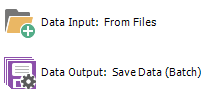
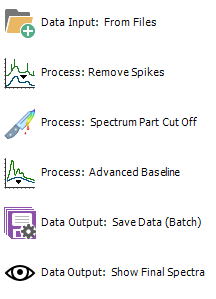
processing sequence for Raman spectra treatment:
spike removal, cutting off the laser region, advanced baseline
removal to get rid of fluorescence background, batch export into
single spectrum JCAMP-DX files and finally: "see what you've
done!"
|
from
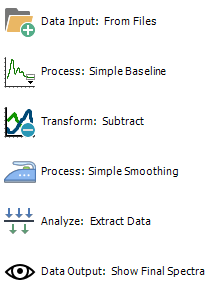
raw spectra to time kinetic data:
load spectra from defined folder, subtract straight baseline,
subtract Blank spectrum, smooth and create a results file with
timestamps and a number of parameters like peak wavelength/ area
under curve/ average for a number of ranges and finally: "see
what you've done".
|
complete
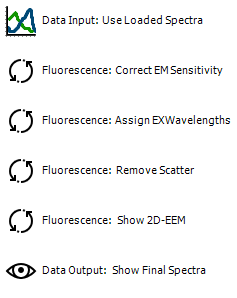
emission spectra processing:
interactively load data, correct detector sensitivity, assign
excitation wavelengths, remove 1st & 2nd order Rayleigh &
Raman scatter peak by interpolation, create a EEM 2D plot from
resulting spectra. Show also processed spectra series.
|
![[Spectroscopy Ninja]](Spectroscopy-Ninja_w100.png "back to Spectragryph home")
![[SpectraGryph]](gryphon_white_green_96.png "back to SpectraGryph main page")